This step-by-step guide walks you through using Agentic Mode in Marketr. Learn how to launch a session, use interactive intake forms, connect your business memories, and create multimedia assets.
Step 1: Open Agentic from Your Dashboard
- Log in to your Marketr account.
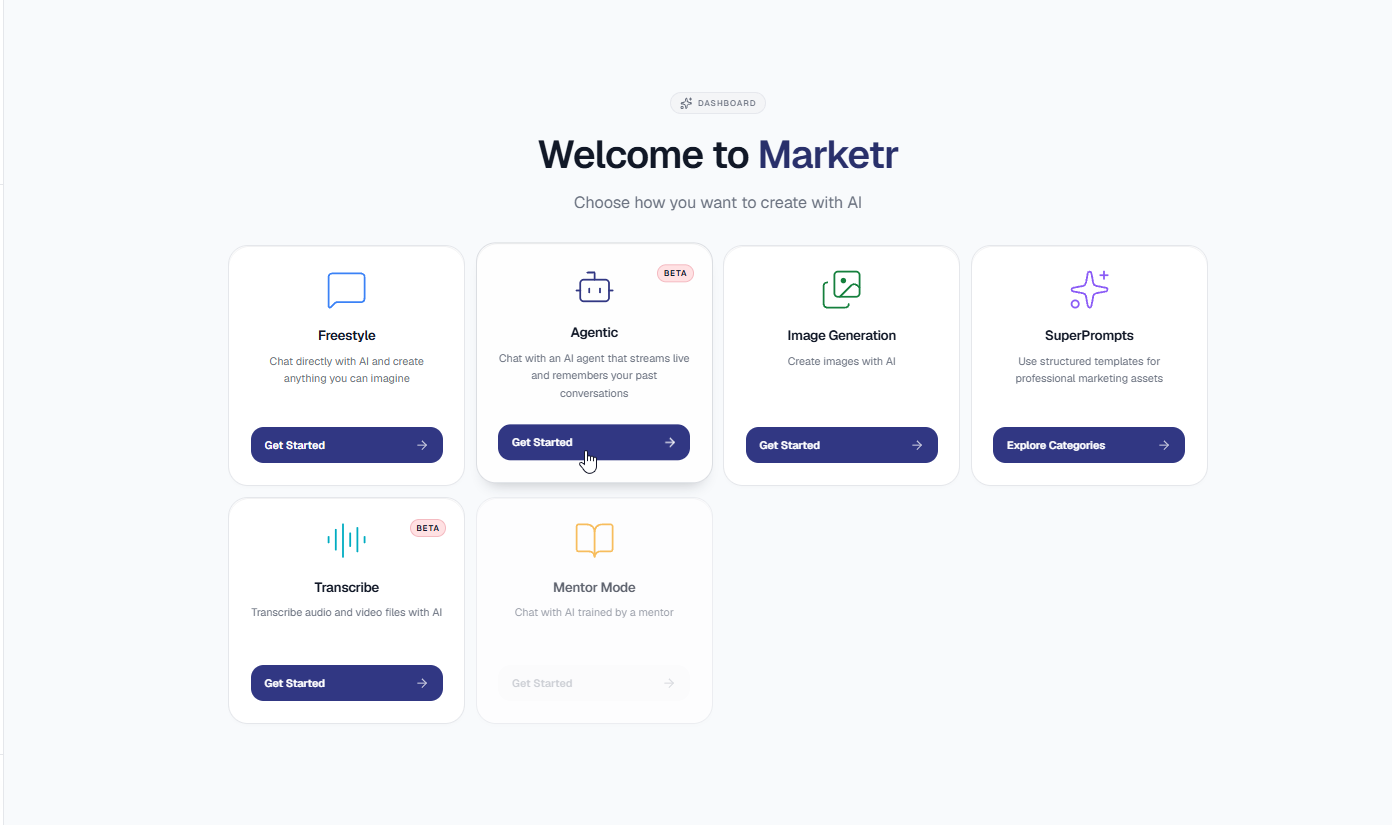
- On the main Welcome to Marketr dashboard, locate the Agentic card.
- Click the Get Started button on the Agentic card to launch your session.
Step 2: Start Your Request and Complete the Intake Form
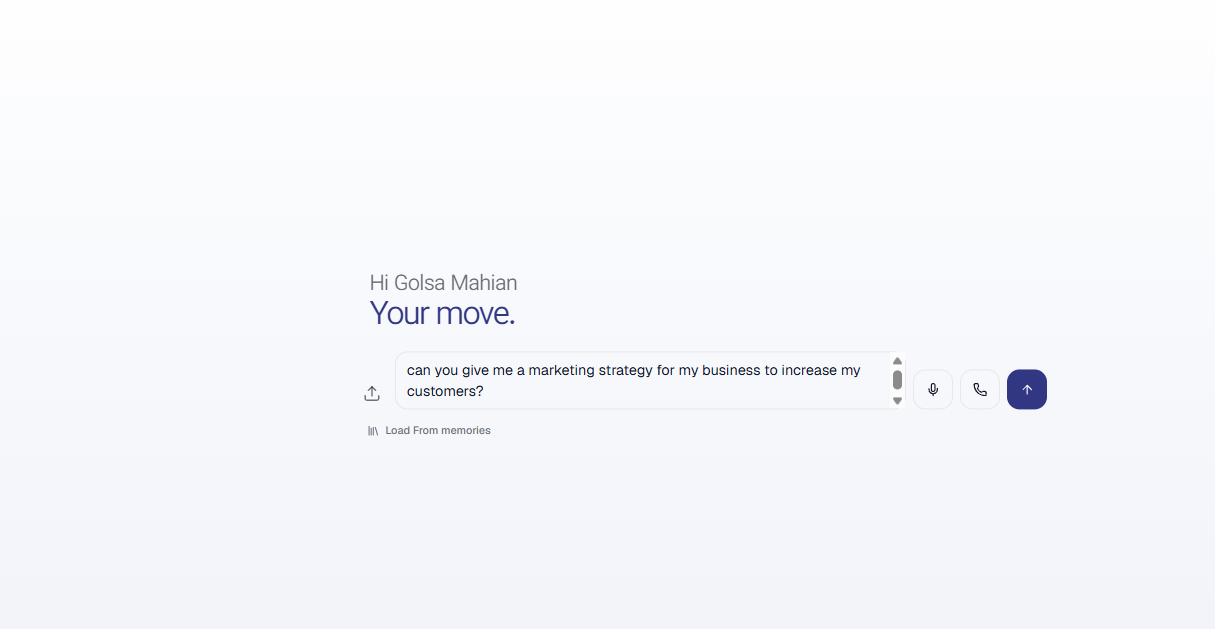
- In the chat box, enter your primary marketing goal or question.
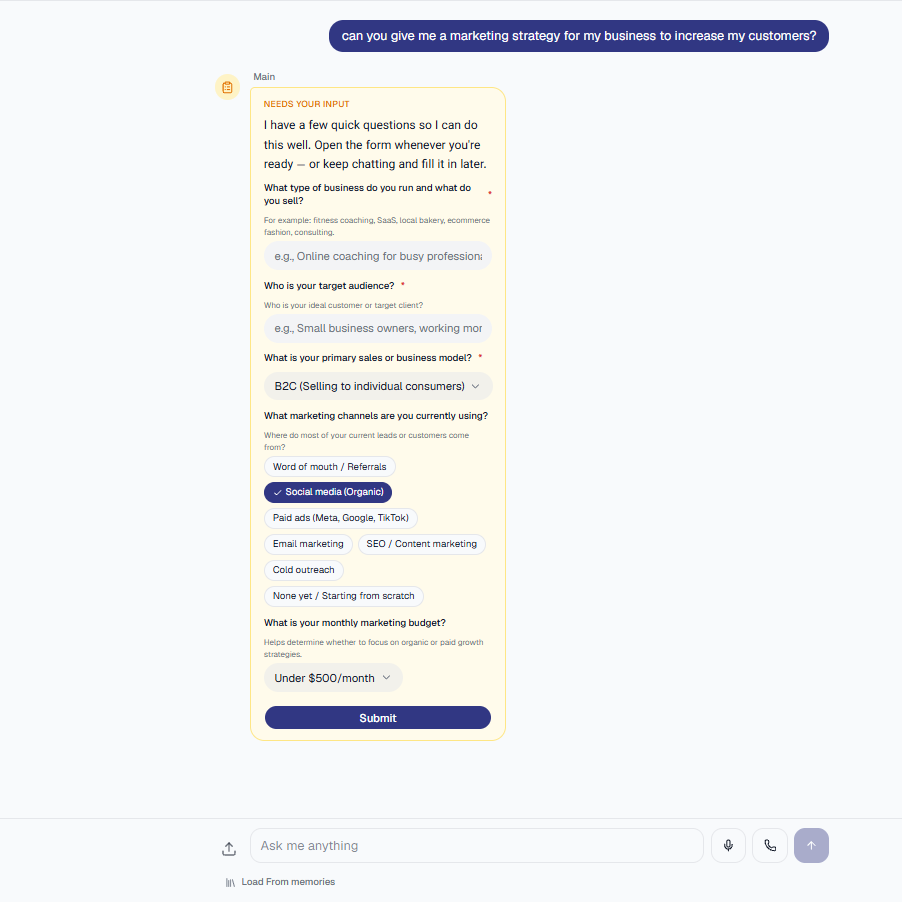
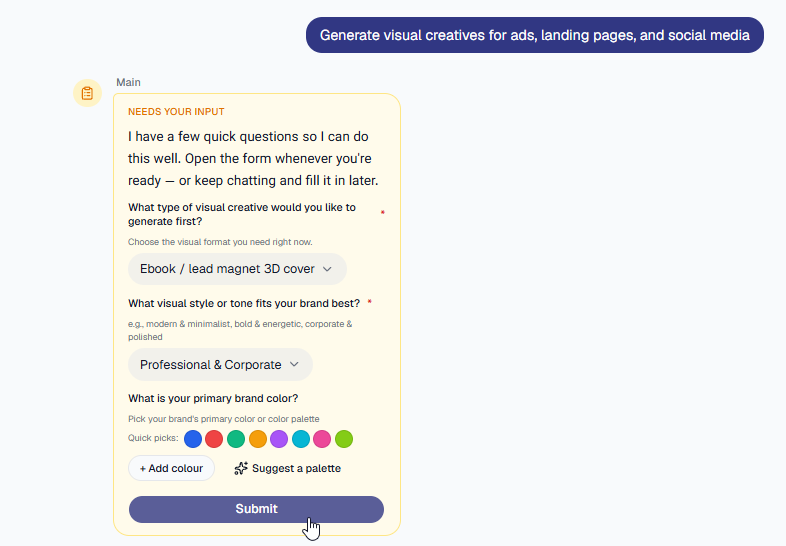
- Marketr Agentic will present a short intake form directly in the chat window.
- Fill in the requested details about your offer, target audience, or campaign goals.
- Submit the form so the agent has the exact context it needs to build your marketing strategy.
Step 3: Load Your Saved Memories
To ensure the advice matches your exact brand voice and past research, connect your saved memories:
- Click the load From memories option within your active chat.
- Select the business profiles or research documents you previously analyzed in Marketr.
- Confirm to load them into the conversation.

Step 4: Generate Copy and Creative Marketing Assets
Marketr Agentic handles both strategy and multimedia production. You can request:
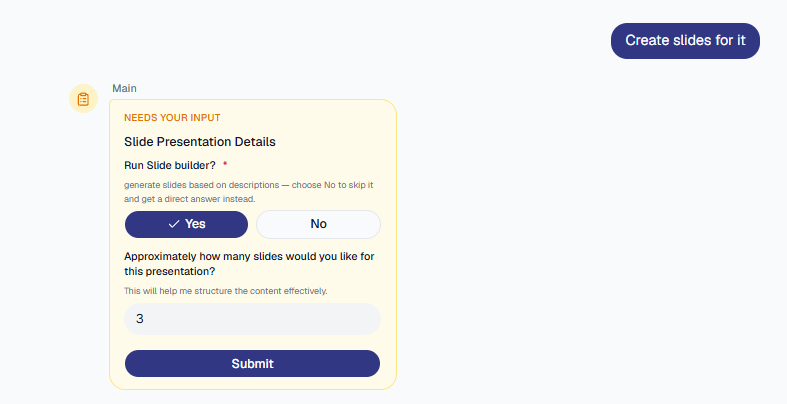
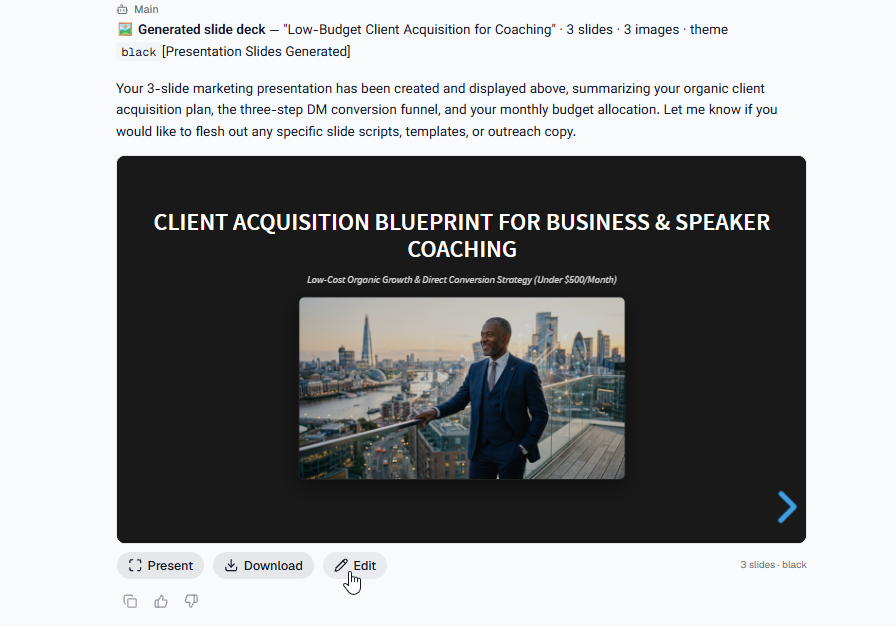
- Slide Decks: Create outlines and slide structures for presentations or webinars and edit or download slides.
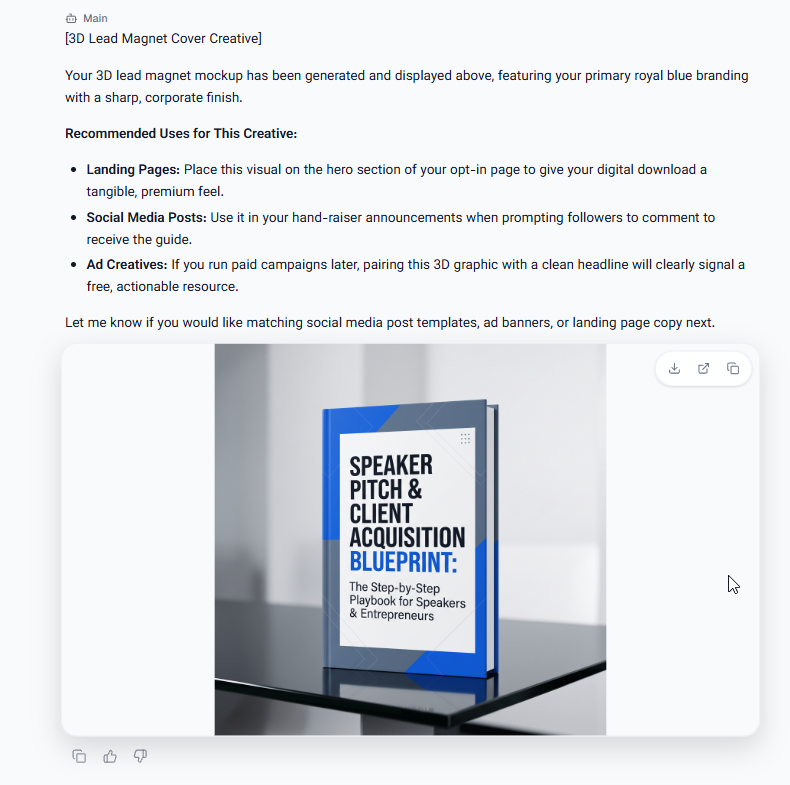
- Marketing Images: Generate visual creatives for ads, landing pages, and social media.
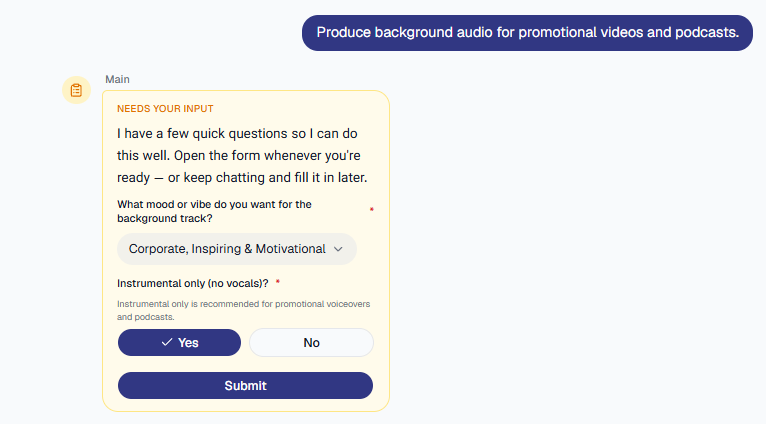
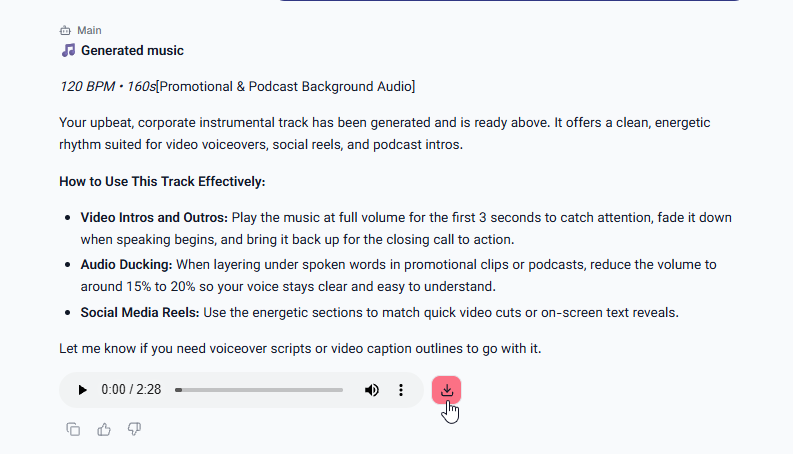
- Music Tracks: Produce background audio for promotional videos and podcasts.
- Call Marketr : You can talk to Marketr with clicking on the call button.

Simply state what asset you want the agent to build based on your plan.
Step 5: Review, Export, and Implement
- Review your generated copy and multimedia files.
- Ask follow-up prompts to tweak wording, adjust visual styles, or produce variations.
- Copy text or download files directly to use in your live marketing campaigns.
Was this article helpful?
That’s Great!
Thank you for your feedback
Sorry! We couldn't be helpful
Thank you for your feedback
Feedback sent
We appreciate your effort and will try to fix the article