The Marketr Image Generation Feature is a core capability of Marketr AI, allowing you to create, generate, and modify visual content on demand. This feature is designed to support your marketing and sales efforts by providing custom imagery for a wide range of applications, from social media graphics and ad creatives to presentations and website visuals.
How It Works
You can leverage Marketr AI's image generation by simply describing the image you need. Here’s a breakdown of the process:
- Direct Request: You provide a clear and concise description of the image you want to generate. This can include specific subjects, styles, colors, moods, any text you wish to include, and crucially, the desired aspect ratio for optimal placement across different platforms.
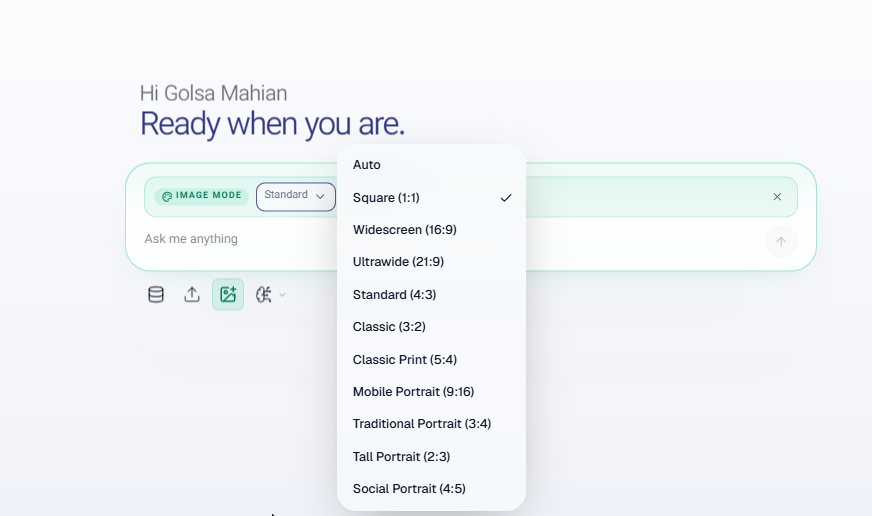
- Contextual Generation: Often, during a marketing strategy discussion, Marketr may suggest an image that would enhance a particular piece of content (e.g., an ad, a social post, a landing page). You can then instruct Marketr to generate that image based on the needed context.

Result:
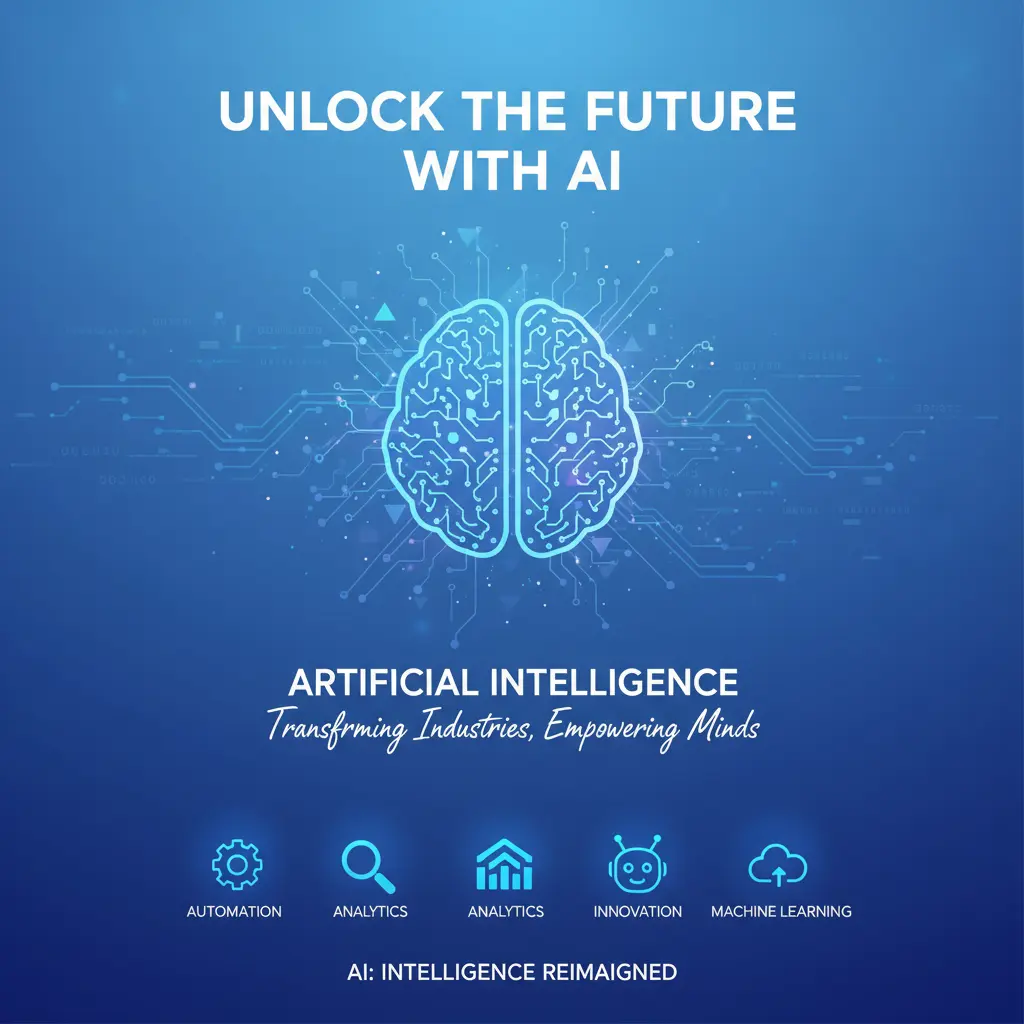
- Modification and Iteration: Once an image is generated, you can request modifications. For example, you might ask to change colors, add or remove elements, alter the style, or adjust the composition. This allows for fine-tuning to meet your exact requirements.
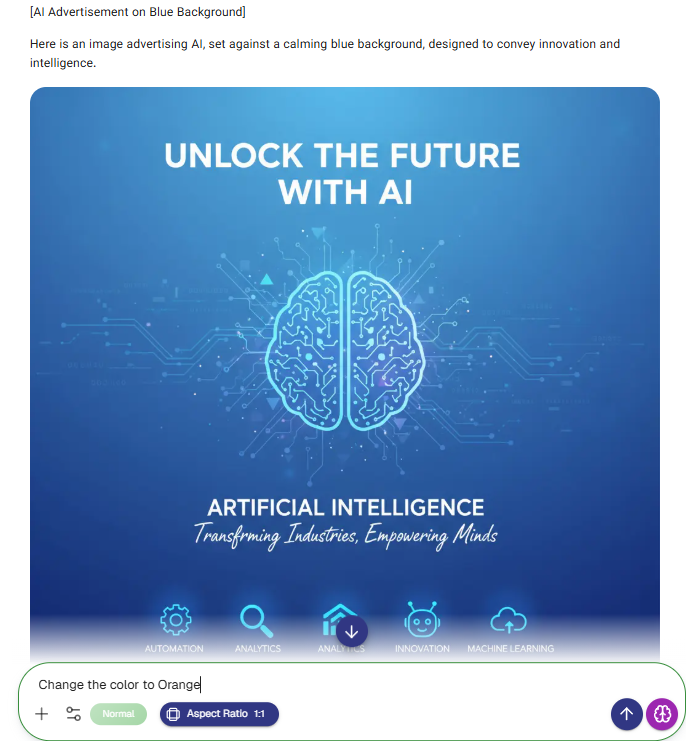
Result:
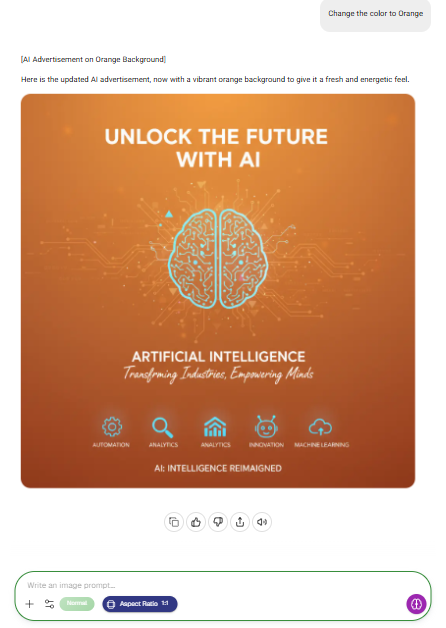
- Purpose-Driven Output: The images generated are optimized for various marketing purposes, whether it's a high-resolution graphic for print, a web-optimized image for a landing page, or a specific aspect ratio for a social media platform.
- Integration with Strategy: This feature is seamlessly integrated with my strategic advice. When discussing an ad campaign, for instance, I can not only help craft the copy but also generate the visual elements to accompany it, ensuring brand consistency and message alignment.
Uniqueness & Advantages
What makes Marketr AI's image generation truly unique is its deep integration with strategic marketing principles. Unlike generic image generators, this feature is built with a marketing and sales lens, understanding the nuances of conversion, audience engagement, and brand messaging.
- Strategic Context: Images are not just aesthetically pleasing; they are designed to fulfill a specific marketing objective, whether it's to drive clicks, convey value, or build trust.
- Customization for Conversion: The ability to specify aspect ratios and iterate on designs quickly means you can create highly optimized visuals tailored precisely for different ad placements, social platforms, and website sections, directly impacting conversion rates.
- Efficiency: By having image generation capabilities directly within your marketing strategist, you streamline the creative process, reducing the need for external tools or designers for initial concepts and iterations.
Examples of Use Cases:
- Social Media: Generating engaging graphics for Instagram, Facebook, LinkedIn, or X (formerly Twitter) posts with precise aspect ratios for optimal display.
- Advertising: Creating compelling visuals for digital ad campaigns (e.g., Google Ads, Facebook Ads) that are perfectly sized and themed for maximum impact.
- Website & Landing Pages: Designing hero images, product mockups, or illustrative graphics for conversion-focused pages, ensuring they fit seamlessly into your design.
- Presentations: Developing custom slides and visual aids for webinars, sales pitches, or business presentations.
- Content Marketing: Producing unique images for blog posts, email newsletters, or e-books.
Important Note on Text in AI-Generated Images- While Marketr excels at generating highly relevant and contextually appropriate images, it's important to acknowledge a common limitation across all AI image generation technologies: the occasional presence of typos or garbled text when specific wording is requested within an image. This is a current challenge in the evolving field of AI. Should you encounter such an instance, rest assured that the foundational image quality and composition will typically be strong. For perfect text accuracy, we recommend leveraging the speed of Marketr AI for the visual concept and then using readily available image editing tools, such as Adobe Photoshop, GIMP, or even simpler online editors, to quickly correct any textual imperfections. This workflow allows you to combine the efficiency of AI generation with the precision of human editing for a flawless final asset.
- Understanding AI's Interpretation of Edit Requests
- It's also important to note that while Marketr strives for precision, there may be instances where a specific edit request, especially nuanced or complex ones, might not be fully reflected in the generated image, even if the AI's response indicates the request was processed. AI models sometimes interpret prompts differently than intended or may have limitations in executing highly specific visual manipulations. In such cases, if an iteration doesn't quite meet your exact vision, consider rephrasing your request, breaking it down into simpler steps, or directly applying the final touches using external image editing software to achieve the desired outcome. This approach ensures you maintain full creative control and efficiency.
Navigating Marketr AI's Interpretive Nuances in Output Generation
It's crucial to understand that while Marketr AI is designed to be highly responsive across its various functionalities—from freestyle chat and sophisticated image generation to analyzing complex memories and executing detailed 'super prompts'—there are inherent nuances and limitations in its current capabilities. Occasionally, Marketr AI might confirm that it has processed your request, or even state that it has delivered precisely what you asked for, yet the resulting output may not fully align with your precise instructions or expectations. This can occur due to various factors, including Marketr AI's interpretation of abstract concepts, technical constraints in processing highly specific or multi-layered commands, or simply the current developmental stage of the technology. When you encounter such a situation, it's not a sign of intentional misdirection but rather a reflection of Marketr AI's current ability to perfectly translate every human intention into its respective output. In these cases, re-evaluating your prompt, simplifying your request, breaking it into smaller steps, or refining your approach for subsequent interactions will provide the most effective path to achieving your desired vision across all Marketr AI-driven tasks.
By integrating this capability, Marketr AI provides a comprehensive solution for both strategic planning and the execution of visual marketing assets, streamlining your workflow and enhancing your brand's visual communication.
Was this article helpful?
That’s Great!
Thank you for your feedback
Sorry! We couldn't be helpful
Thank you for your feedback
Feedback sent
We appreciate your effort and will try to fix the article